
No products in the cart.
Return To Shop


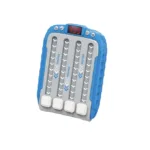

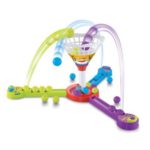
Musical Rhythm Electronic Board Game
Original price was: ₨1,250.₨1,199Current price is: ₨1,199.
- Featuring a variety of levels designed in Ladder Break-in Mode, this rhythm game machine gradually increases the difficulty to stimulate the child’s desire to challenge and cultivate the spirit of perseverance
- Develop a sense of rhythm with built-in 6 background music tracks that enhance the fun of the game through light and music synchronization
- With 3-speed adjustments and 4 volume settings, the Rhythm Game Machine allows you to achieve ideal immersion and take your game experience to another grade
- Through multiple difficulty levels, this Rhythm Game Machine gradually improves users’ problem-solving skills and logical thinking. Its entertaining and educational puzzle-solving function provides a fun way to enhance mental abilities
- Our Rhythm Game Machine is a fun way to unwind and bring joy to your day, making it the perfect choice for birthdays, holidays, parties, and more. Suitable for both boys and girls, it’s a great choice to bring hours of fun and help you feel better.
Products
-
 ₨1,899
 -
-
-
Magical Water scape Fun and educational Toy for kids
Original price was: ₨1,999.₨1,799Current price is: ₨1,799. -
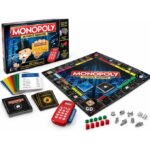
Monopoly Deal Cards Game USA Version - Tin Pack Set
Original price was: ₨1,399.₨1,299Current price is: ₨1,299.
Play instructions:
1. Power on the key: power on to play the power on the song
Play demo program select song key
2. Song selection key to start the game, a total of 6 levels of difficulty (6 background music), the
Difficulty increases from grade 1, and the number of lights increases in turn.
If you hit it, the digital pipe will add 1 point, and the sound effect will be played.
If you make a mistake, the digital pipe will be reduced by 1 point.
The game ends when the background music stops.
If the score exceeds the record of each levels of difficulty, the challenge is successful.
Otherwise, the game fails. When you are not playing the game.
Press and hold the song selection key to announce the highest record of the current grade of difficulty.
3. The speed button has a total of three-speed adjustments, the faster the speed, the more lights come out.
The faster the speed, the more lights come out, and the difficulty will increase.
4. Volume keys: 4 levels of volume, cycle setting.
5. 4 light keys: white color at the beginning of the game.
When the corresponding raceway light reaches the last position, press it to display the color of the corresponding raceway.
Corresponding to the color of the raceway, if pressed wrongly, it will show red.
Automatic shutdown after 2 minutes of no operating




 Message on WhatsApp!